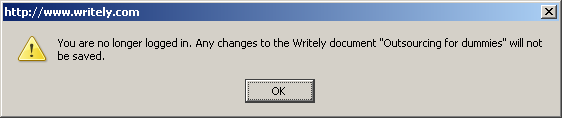
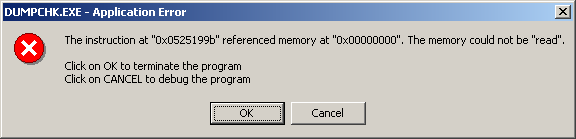
(At least, the collaborative editing bit.)
“Only if it were a little less disjointed.” The review that is, not the product. The review started as a test of Josh and Daniel concurrently typing all over a document. For ease of reading, the first person has been used for both Josh and Daniel; a kind of gestalt entity, a multi-headed hydra, a two-headed knight that can’t agree if after the period at the end of a sentence you should have one or two spaces. Not that it matters in the world of HTML (unless, like this product, you chuck in non-breaking spaces). If you are angered by any of the writing or formatting, Daniel Josh Daniel wrote that bit. Rabbit season.
A concurrent word processor – what’s that?
I’ve got this friend, Andrew. He had a project back at Uni to write a concurrent word processor, which his team did in Ada with each keystroke being sent to all editors (I wonder if that ever became a viable product?). Which means two people could work on the same document. At once. Even the same sentence, or word. When he told me about it, I thought that software like this would be cool, and relatively trivial to do, but until the Internet came along there wasn’t the always-on ubiquitous network that would make it workable for many people to edit something. So, like an idiot, I promptly forgot about it. And then Google didn’t buy me out.
Jokingly one might refer to such an idea as Edit Wars. But it’s not hard to see how useful realtime (or nearly realtime) collaborative editing could be. No continuous emailing of differing versions around the place to thoroughly confuse people, quicker turnaround on edits, and all in a near-WSIWYG environment.
Actually, this would work really well for wikinews (which actually does have Edit Wars). Actually, wikinews would have some problem with actual concurrent editing because MediaWiki (what wikinews runs on) has a change-and-publish model. I wonder how the MediaWiki system deals with micro-changes – i.e. a keystroke at a time? Anyways, the reason I mention wikinews is because for information on the 7/7 bombings on the tube I went to wikinews – It actually told me what was happening, where and gave maps and was constantly being updated.
But with several edits a minute, actually getting any information into the article was very difficult – changes kept failing. MediaWiki doesn’t lock people out while a change is being written; it uses something like CVS, and if it detects concurrent editing gives you an error in response to a save. Saves are manual.
Using VNC would allow two people to view a document while one edits it, or more precisely to allow multiple people watch a single one edit. But multiple editors, that’s cool.
So, Writely seems to have functionality roughly on par with MS-Write. Which, in my opinion, is plenty. You get hyperlinks and insertable images.
Responsiveness
Writely’s first problem is the document editor can be slow to load. It’s obviously heavily dependent on network and browser speed. During one initial try at it, the network connection was as slow as mollases.
When someone else jumps in, an orange bar at the bottom of the screen tells you this. Once editing is happening, it only appears to pick up changes every minute or so (reflected at each end by the Saving prompt appearing in the top right). Arguably this is fair enough for most applications, but definitely not quite as nice as real time. I was hoping it would be character-by-character, like Andrew’s thing back at Uni. That would be concurrent. You could see what areas others are working on and watch, or avoid that area and work on another. Sending each keystroke would be a doddle bandwidth-wise, even the fastest typists run at around only 120wpm -> 720cpm, 12cps. but with 10ppl going at it at once, that’s 120cps, but I guess the server could bundle them together before redistributing out. You would have to include sequencing information in each packet to prevent out-of-order application of keystokes and other UI interaction.
But even if it’s not realtime (e.g. almost realtime), I can see the benefits, for many applications. Like what? It’s not too bad for knocking this into a coherent review, but something to provide hints about where the other editors have been touching stuff would be good. It doesn’t appear to use visible revision marks. I find them a pain in the arse in Word, but at least you can tell who’s done what… even more important with multiple concurrent people all hitting the document. It does track all the revisions in the Revisions tab, which includes facilities to compare versions. Might be nicer if it showed show revision marks like Word, in the document itself. With some sort of aging (maybe a coloured background that fades back to white?), and an ability to “accept” the changes – by which I mean tell the edit program to tell you if that text changes again.
Undo/Redo
There’s a chronological edit history type of view off on one of the tabs; I wonder if any thought has given to “replaying” the saved document to give you a feel for the evolution of the final document. At the very least, it would demo well, even if no-one ever used that feature.
This has undo/redo; for typing it appears to act on the last sequence of typed characters. And how does undo-redo work with multiple people editing? You could keep a local buffer, but what does it mean to undo stuff if others have changed the text you were editing? We didn’t try too hard to find out. The algorithms for that must be really scary, or really lame.
Writely is multi-user chat?
Perhaps this is only any good as multi-user chat. But, as multiuser chat, everyone would have to adopt different colours. And, like in a wiki, people could be running all over the place changing the history of the chat.
Why did you call me a buffoon?
I didn’t!
Yeah you did, look back there.
<Huh?!>
Nah, it’s no chat tool. It’s a not-too-bad collaboration tool.
Bugs / weirdness
This thing is beta, which is latin for “still doesn’t work”, but here’s some stuff we noticed in our half-hour of mucking around:
- Save chops the trailing space off a line! So if I’m typing, and stop for a bit to think, and it takes advantage of that to do a save, my space disappears and now I’m abutting the previous word.
- I wonder what happens when the document gets so big that the different collaborators are on different screenfuls of it?
Woah. It does random scrolling type things to me! Like, that jumping to the top thing. That’s super-annoying. It’s jumping to the top when Josh’s changes are picked up… at least, if I’m not typing.
- Hitting delete on the end of a line that’s a bullet point at one point wouldn’t pull in the subsequent non-bullet point onto the bullet point. Reproducing this failed.
- Now I can’t scroll to the top of the document! I’m off by one line, I’m on it, I can see the bottoms of the drop-down letters, but not the top. At least the scrollbar works and I can get there with that.
Oh, and pageup gets me there too. But ctrl-home doesn’t scroll me to the absolute top of the document.
- This seems to be a difficult UI to get your head around – inviting someone else in to work on the document is non-obvious.
- I got this error: Your most recent changes to “Random sharing document” conflict with changes just made by a collaborator, and have been discarded. This should only affect what you have done in the last few seconds. [There was no text, I was dragging an image around, but didn’t drop it yet]
- Tabs get turned into spaces – probably because the editor tries to match itself as being closest to HTML, rather than other formats.
- I tried to right-click copy text, and it turns out that I couldn’t because of my browser settings. Which is fine, instructions were given as to how to achieve it (use the browser menu). The second time, the context menu still offered me the option of copying text – even though Writely now knew I couldn’t do that.