Category Archives: Extensions

Use FoxIt Reader in Chrome

Chrome fast. FoxIt reader fast. But by default they don’t work together so well, insisting on PDFs being saved to disk before FoxIt will open them.

Here’s how to get read PDFs inside Chrome using FoxIt reader:

  • Copy the file npFoxitReaderPlugin.dll from C:\Program Files\Foxit Software\Foxit Reader\plugins to C:\Program Files\Google\Chrome\Application\plugins
  • If the plugins directory doesn’t exist, then create it
  • C:\Program Files\Google\Chrome… only exists if you’ve used the Google Pack version of Chrome. If instead you’ve got the version that (oddly) shoves it into C:\Documents and Settings\USER\Local Settings\Application Data\Google\Chrome\ then you’ll need to find the right place under there for it.
  • Restart Chrome

(Source: Chrome forum post, and some fiddling/experimentation)

UPDATE: As commenters have noted, unfortunately the relevant files may be in place only if you installed the Firefox plugin with FoxIt Reader — which may not offer to do so unless it detects Firefox is installed.

Google browser sync

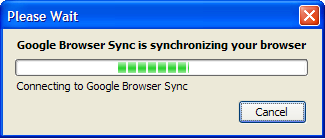
Google browser syncI love the idea of Google’s Firefox sync for keeping my bookmarks and so on synced between my work and home computers. It works really well.

But I’m rather less keen on sitting waiting for it to do the update when starting Firefox. Sometimes it seems to take ages. Thankfully you can cancel it if you’re too impatient.

Thunderbird extension development hell

I had this great idea for an extension to Thunderbird that was neither trivial nor non-trivial, and thus interesting and doable (time will tell on the doable part). In fact, so much so that I figured someone must have done it already, so I went surfing the Thunderbird extensions trying to find it. I couldn’t. It appeared, so some inexplicable reason, I’d have to do it myself.

I soon found out why someone hadn’t done it before me: Thunderbird development is a nightmare.

The problem with developing for Thuderbird is that it’s a poor cousin to Firefox. All the dev doco revolves around Firefox, so as a function of that Firefox has hundreds of extensions (I think I saw a figure of 750 somewhere), sometimes multiple extensions with approximately the same functionality, whereas Thunderbird has dozens of extensions. Add to that the dev tools seem to be Firefox oriented, and I then find myself in development hell.

There’s documentation on extensions in general, but it all uses Firefox for it’s examples. So there’s nothing to cookbook-style leverage from. The doco says to install ChromeEdit (chrome being most of the user interface of the Mozilla suite), but it’s a Firefox only extension. Alternatively, you get your hands dirty editing user.js – but it’s not an alternative for Thunderbird developers, it’s how you do it. There’s a DOM inspector, but that has to be compiled in (it no longer comes as part of the Windows distribution) … or after a lot of looking, it turns out that the DOM inspector is available as a Thunderbird extension. Neither the recommended Extension Developer’s Extension nor Venkman (a IDE for javascript) work for Thunderbird, only for Firefox. I hadn’t gotten more than a quarter way through getting the recommened dev environment set up, and I’d burnt a few hours by this point, so I figured it was time to tell the world about this joy.

Backslashes/Web dev toolbars

If you mistakenly put backslashes in your relative hyperlinks, IE silently replaces them with forward slashes. Does IE do this on Macs I wonder? It seems a very DOS-centric way of doing things. This is not “embrace and extend”. This is “be nice to sloppy people, breaking it for everybody else”. Firefox doesn’t like backslashes, correctly replacing them with %5C and then choking.

Meanwhile, MS has released a developer’s toolbar for IE (beta). I don’t normally use IE, but I had a quick look. WTF — it requires a complete system reboot to take effect. It looks like it has some handy features, but boy, it’s a bit buggy… try and view table outlines, and it takes ages if there’s more than a handful. Not so good.

Frankly, the Firefox web developer extension craps all over it.

Changing the default “Search For” engine in Firefox

As a follow up to Daniel’s previous post. If you want to change the default browser search engine in Firefox (say from .co.uk to com.au after you’ve installed the ‘proper’ English version of Firefox) it’s a simple procedure.

Type about:config in the address bar.
Scroll down the list to browser.search.default.url.
Double click on this and change .co.uk to com.au – you’re done. All your browser searches will now run through the Australian version of Google, with correct spelling.

And if you want to remove/add/edit the search options in Mycroft (the search box at the top of the screen) there’s a great free utility at http://www.svenbader.de/e_index.html

Ad blocking begins to have an economic effect

So I was checking out copper (as you do), and followed the wikipedia copper entry link to EnvironmentalChemistry.com’s copper data, and I discovered that ad blockers are beginning to change the economics of the web. The web site whinged that they had detected ad blocking, and if I wanted to get the content I’d have to turn it off (and provided directions – which I followed, but it just turned out to be a bunch of atomic numbers and covalent bonds and useless crap like that).

The economics of a lot of the web are not dissimilar to those of free-to-air television; there’s a covenant between the producers (broadcasters/webauthors) and the consumers – we will let this stuff out to anyone, and you will consume our advertising. Advertisers give the producers cash to cover the costs of publishing. There’s a profit in it, and everyone’s happy.

Except that consumers have decided they don’t like the deal anymore. People are taping TV shows, and skipping the ads. People are using ad blockers in their browsers. The economics of the model are breaking down. I personally am behaving this way because I find the advertising increasingly intrusive and irrelevant, and thus annoying. The ads suck, for products that suck, and they’re shoved down my throat. So I avoid them. This is how a character in Carl Sagan’s novel Contact became the richest man on earth – by selling TV ad blockers.

The three outcomes I can forecast from this are:

  1. increased relevance of advertising (unlikely, the reason advertising is necessary is because of an inherent suckiness of the products, otherwise they’d be compelling)

  2. decreased expenditure on content provision (on TV, cheaper nastier shows – if that’s possible; on the web, uneconomic sites being pulled or at least not updated)
  3. product placement, which is a bit like 1, ‘cept different because it’s more about appropriate products in appropriate places

I for one have no idea how this will play out, but I’m sure advertising will get more subtle. It’s done that over the last century, and will continue to in response to increasing consumer sophistication. Perhaps advertisers will find a way to back off, and only offer their products to customers who want them; they certainly want to act that way, because it’s a waste of money advertising women’s sanitary napkins to the gay male viewers of Friends — unless they’re planning to fix their car’s leaky roof with one.

BTW, how did they figure out I was blocking their ads?

Pornzilla

As everyone knows, the web is the best place for finding and viewing high quality pornography in the comfort of your own home. Or internet cafe.

Pornzilla is a collection of tools for surfing porn with Firefox. These bookmarklets and extensions make it easier to find and view porn, letting you spend more time looking at smut you like.

I love the tools including the one that allows you to “… find galleries similar to one you have open without using the keyboard”

They need funding:

“Since nobody has contributed to our testing budget, these tools have only been tested with free porn sites.”

Is it good that they’re being kept off the streets? Perhaps you’d like to give the authors jobs?